
Why it exists
A directory tree in a document is usually a fenced code block. It looks right in the editor and then breaks somewhere downstream. A PDF export sets the box-drawing characters in a different font, or drops them. Tabs and spaces disagree about how deep a level is. Paste the tree into a ticket and one level of indentation quietly disappears. And every renderer that does accept HTML makes its own decision about what a tree should look like.
A fenced block carries no structure at all. It is text that happens to look like a tree.
I wanted one parser that reads the tree once and gives every output the same structure, so the tree in the preview, in the HTML and in the PDF are actually the same tree. That covers everything that renders HTML: the VS Code preview, a browser, a Pandoc export.
What it does
A fenced tree block goes in, an AST comes out: every node has a name, a type and children. Everything after that is a renderer.
The HTML renderer turns folders into native <details> and <summary> elements, so the tree collapses in any browser and in any Markdown preview that allows HTML, with no JavaScript at all. Mermaid and plain-text renderers cover the places that will not take HTML.
The bundled CLI also drives Pandoc: tmd notes.md --to pdf -o notes.pdf preprocesses the file, applies two stylesheets, one for document typography and one for trees, and hands the result to Pandoc and WeasyPrint.
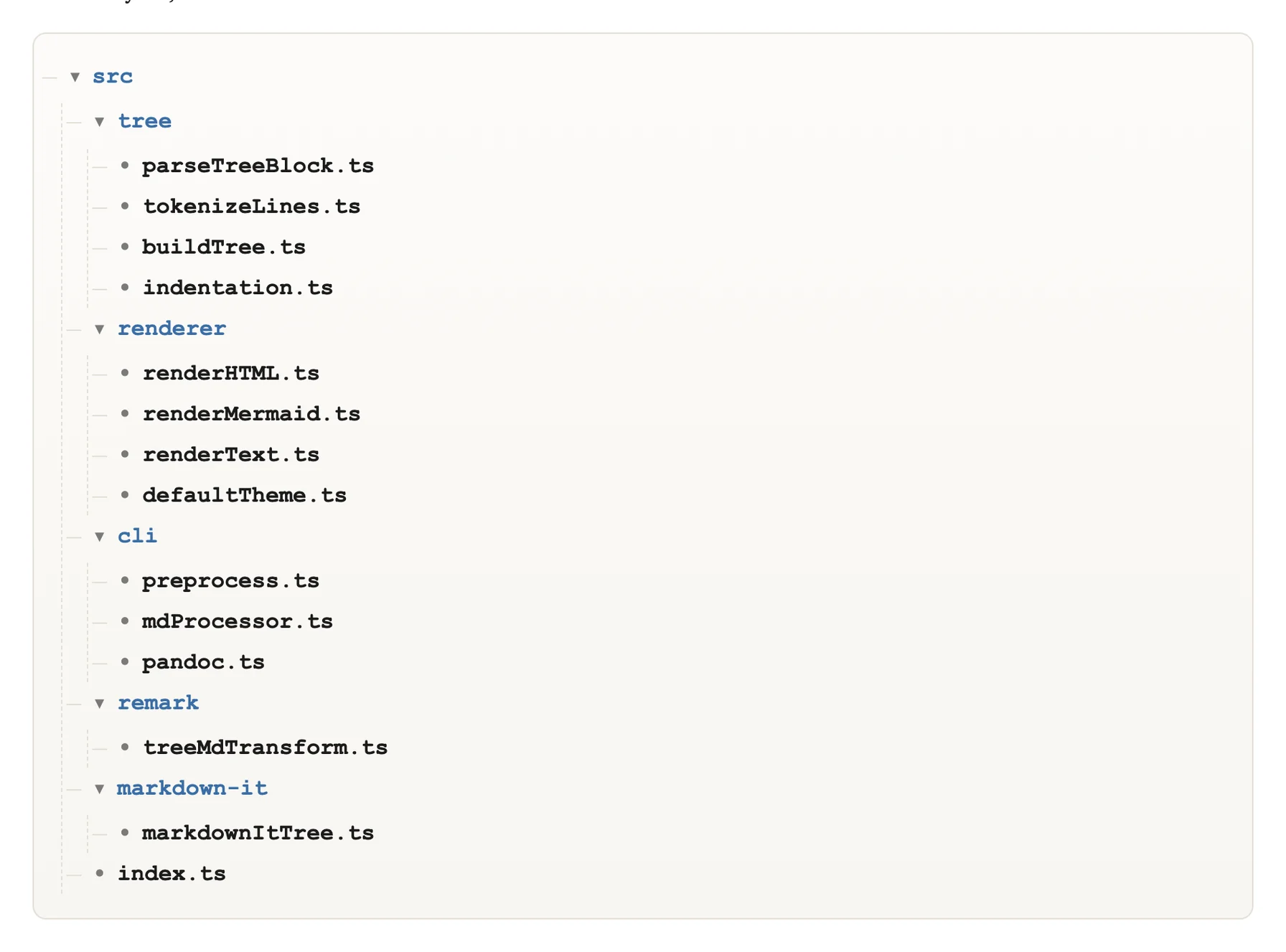
The parser rendering its own source tree. Folders are <details> elements: they open and close without a line of JavaScript.
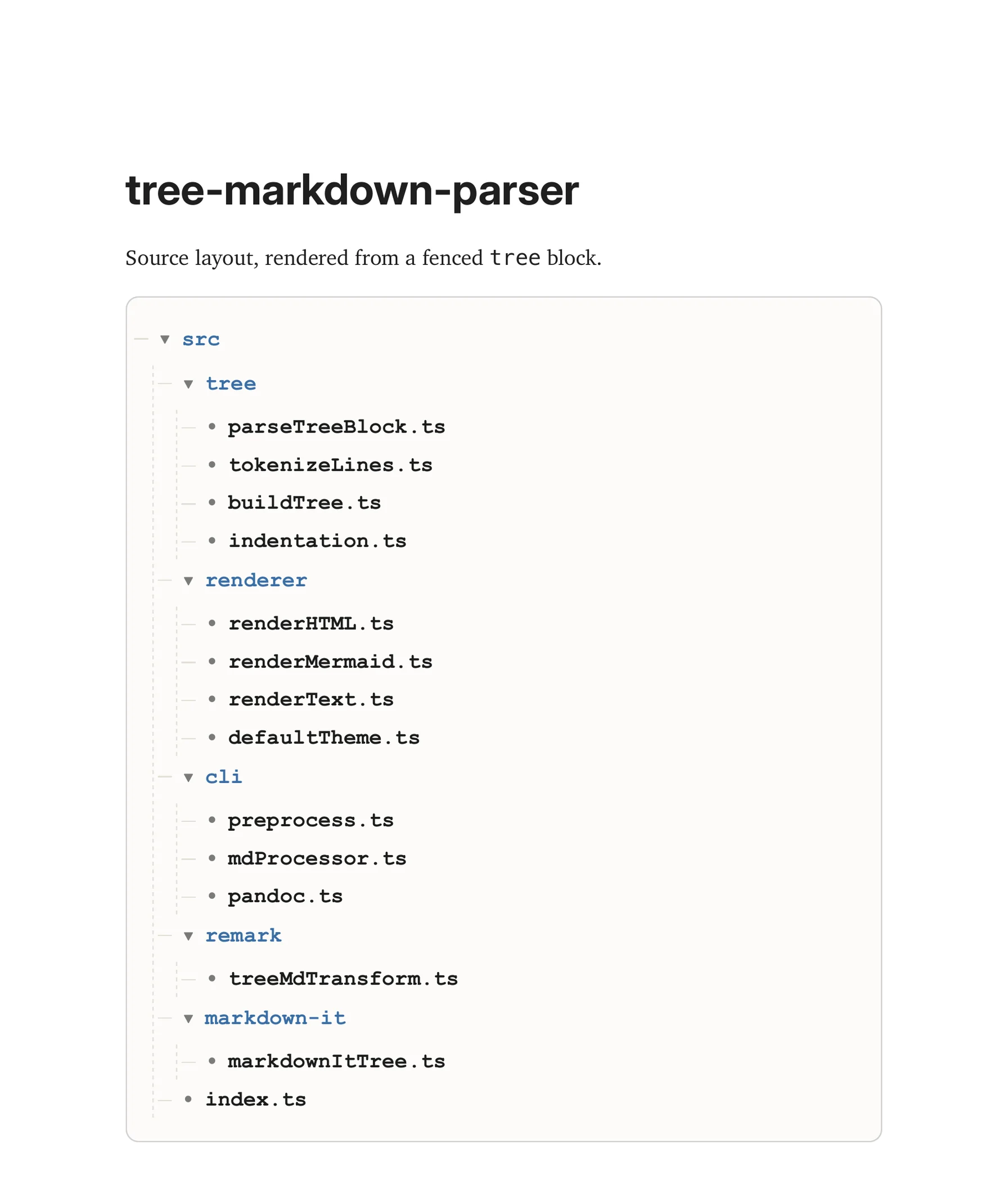
The same block after tmd --to pdf. The tree keeps its structure and styling; the arrows are decoration here, because a PDF does not collapse.
Interfaces
- CLI:
tmd(preprocess, preview, export) - Library API:
parseTreeBlock,renderHTML,renderMermaid,renderText - Plugins: remark and markdown-it
- VS Code extension:
vscode-tree-markdown
Decisions and tradeoffs
An AST instead of a string transform. The obvious version is a regex that swaps box-drawing characters for <ul> and <li>. It works until a tree has an odd indentation, a folder with no children, or a name that starts with a dash. Parsing into a structure first means the renderers never guess, and a new output format becomes a new renderer instead of another set of rules.
Two modes, strict and tolerant. Real trees get damaged in transit: tabs turn into spaces, a level gets skipped, a line loses its label. Tolerant mode repairs the indentation it can infer. Strict mode treats a skipped level or an empty label as an error, because in a documentation pipeline a silently repaired tree is worse than a failed build. Tolerant is the default; strict is for CI.
Native <details> instead of a script. A JavaScript tree can do more: remember which folders were open, search, animate. It also stops working in a PDF, in a static export and in half the previews people actually use. The native element collapses for free and survives every export. The price is that open state does not persist and the marker can barely be styled.
Duplicating the parser inside the VS Code extension. The extension runs in a WebView with no module system and no access to the installed package, so it carries its own copy of the parser in a single browser script and watches the DOM for re-renders while you type. That is two implementations to keep in sync, a real cost, paid once to keep the extension dependency-free.
What it is not
It is not a file-explorer component. It does not read the filesystem, does not know what a file is, and has no icons or file-type colours: it renders what the block says and nothing more. The test suite covers the parser, seven cases around connectors, indentation and the file-or-folder heuristics, and nothing covers the visual output of the renderers. And the trees it handles best are the ones people write by hand, which is also where the damage comes from.